One of the most important part of any business plan is the competitive analysis. There are consulting agencies that will do this for you, but they cost thousands of dollars. I found that using Google Maps to identify the names and locations of my competitors along with the Medicare Physician & Other Practitioner Look-up Tool to look up a competitor’s billing code submissions history to Centers for Medicare & Medicaid Services (CMS) provided everything I needed to estimate what I was up against.
With Google Maps, I gained insightful geographic perspectives on my competitors. I started by pinpointing my competitors’ locations, and observing their proximities to other key establishments such as hospitals, other medical clinics, and freeways. Furthermore, I analyzed the reviews on Google Maps to shed light on my competitors’ strengths and vulnerabilities. Lastly, visual cues like street view images provided hints about their marketing efforts, foot traffic, and storefront aesthetics.
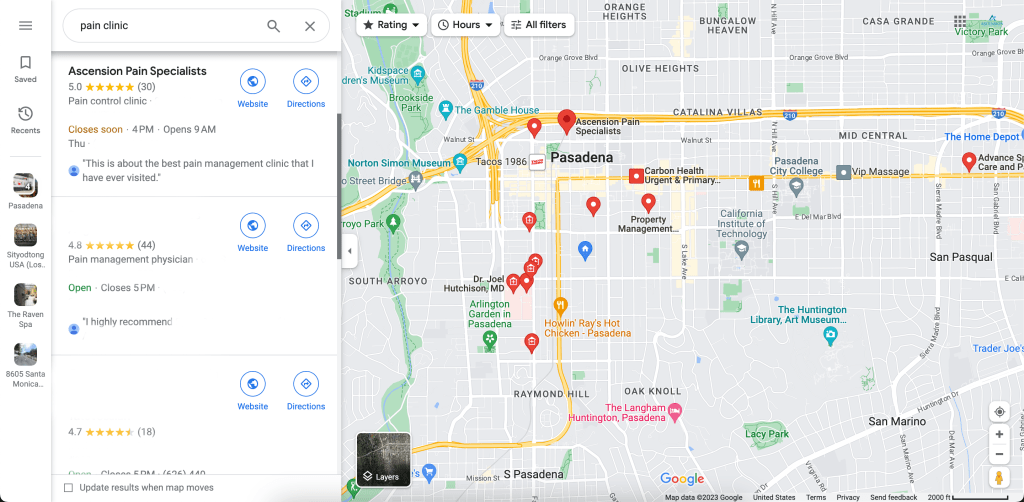
Once I made a list of my main competitors, I used the Medicare Physician & Other Practitioner Look-up Tool to look up what kind of patient volume they had, and extrapolated what opportunities still existed for me as a new entrant. By putting in a competitor’s name and National Provider Identifier (NPI) into this tool, CMS provides you with the number of times a claim with a particular CPT code was submitted in a given year, along with tons of other useful information.

By leveraging free platforms like Google Maps and the Medicare Physician & Other Practitioner Look-up Tool, I developed a spatial understanding of the competition, and gained a detailed understanding of what volume of office visits and procedures they were performing. This strategy was critical to my ability to craft an educated competitive analysis, and ultimately helped me obtain funding from the big banks as part of my overall business plan.
 Private Practice Pain Doc
Leave a comment