When I opened my practice in 2021, I checked out a couple of different cloud-based electronic health record (EHR) systems: DrChrono, Athena, and Modernizing Medicine. I ended up choosing DrChrono, which is easy to use and feature-rich.
However, my practice has evolved over the past 3 years, and despite DrChrono already being a very lean and nimble EHR, I found a lot of it’s functionality to be unnecessary for my purposes since I am a solo-practitioner and only see patients who pay out-of-pocket, or who are involved in personal injury claims.
I already use Gmail as the nexus for all of my communication with patients, attorneys, case managers, etc. and so the realization that I could also use Google as a HIPAA-compliant system for scheduling, record keeping, billing, and form creation for much cheaper made the transition a no-brainer. DrChrono costs $600 per month for one user, and Google Workspace with Gemini costs about $32 per month for one user – 5% of the cost of DrChrono.
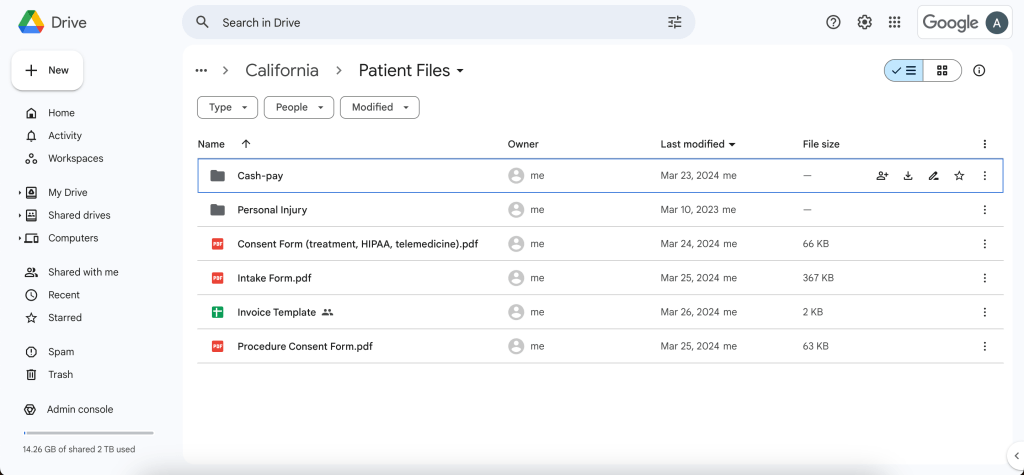
Moving from a “traditional” EHR to Google Workspace is significantly reducing my monthly overhead, and saving me money that I can pour into other aspects of my business to help it grow. Moreover, the potential of using Gemini for tasks currently handled by a medical assistant hints at further cost-saving opportunities. If you are interested in making the transition, do the following:
- Open a Google Workspace account
- Sign the Google “Business Associated Agreement (BAA)” to ensure HIPAA-compliance
From here, take your time creating and organizing your calendar, folders and files, note templates, etc. It is definitely a process, but it’s worth it!
 Private Practice Pain Doc
Leave a comment